Output Tab
Categories:
The settings governing ALS outputs are presented in the Output tab.
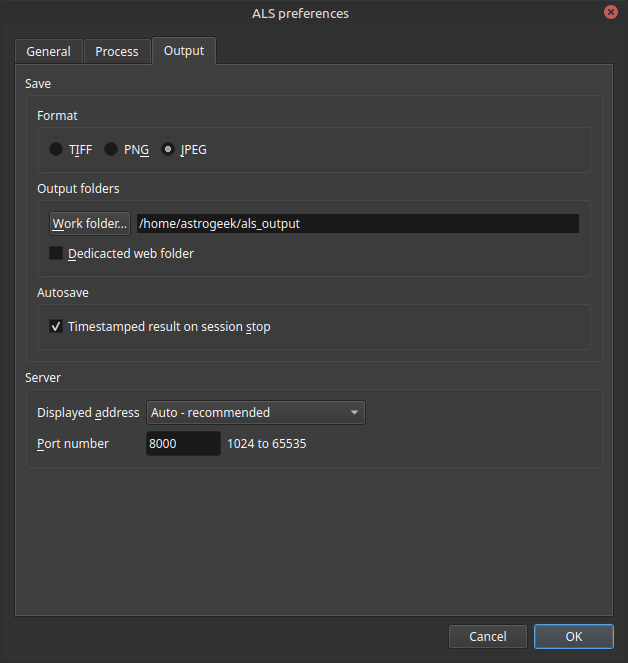
The Output tab in preferences
Save
Here are the output file format, output folders, and autosave function settings.
Format
ALS saves the main output images in one of the following formats:
- TIFF
- PNG
- JPEG
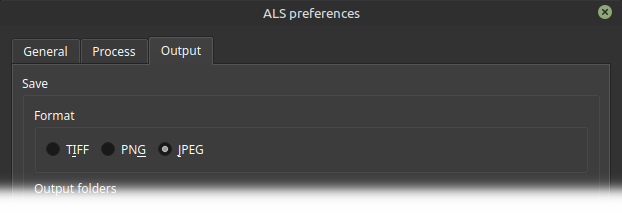
Main output file format preferences
- 🖱️ use the
Formatbuttons to set the main output file format
ℹ️ Default: JPEG
Output Folders
ALS uses two output folders:
-
work folder
Destination of the main output
-
web folder
Destination of the server output
Work Folder
- 🖱️ click
Work Folder...to configure the work folder
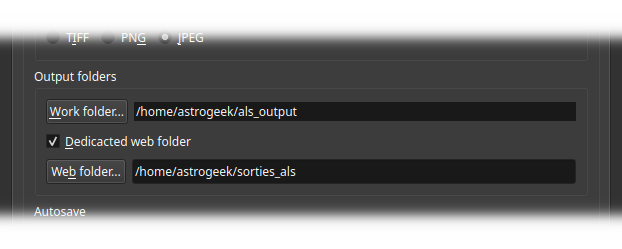
Output folders preferences
ℹ️ Default: ∅
Web Folder
ℹ️ By default, the web folder is an alias leading to the work folder
You have the option to actually separate the two ALS outputs by using a dedicated web folder
Dedicated Web Folder
- 🖱️ check
Dedicated Web Folderto display the dedicated web folder settings - 🖱️ click
Web Folder...to configure the dedicated web folder
ℹ️ Default: OFF
Autosave
Timestamped Result on Session Stop
Activates the saving, on each session stop, of the last processing result:
- output: main output
- name: composed of stack_image + _final + timestamp suffix
- Format: Configured output format
💡
This function is useful when you chain sessions on different targets
At each session stop, the best image for that target is saved in a file that is not at risk of being overwritten
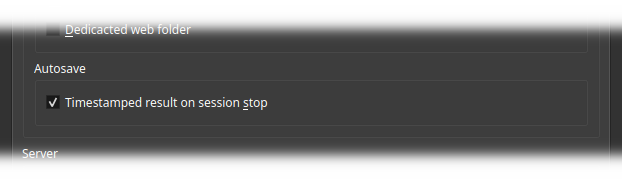
Autosave preferences
- 🖱️ check
Timestamped Result on Session Stopto activate the autosave function
ℹ️ Default: ON
Server
Here are the settings for the ALS image server.
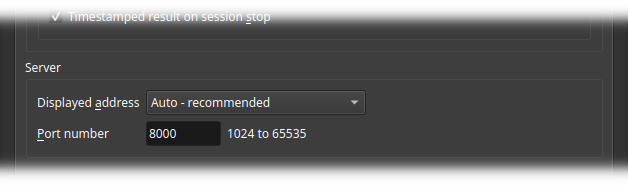
Image server settings
Displayed Address
Defines the network address shown in the Main controls panel, the status bar, and the QR code window
when the image server is running.
The list contains Auto - recommended, followed by the network addresses discovered on the system running ALS. Each
listed address belongs to one detected network adapter.
Listed addresses are ordered by likely usefulness:
- Addresses likely to be reachable from another device on a local network.
- Addresses from common Wi-Fi or Ethernet adapters.
- Addresses from other adapters, including hotspot, sharing, bridge, virtual, Docker, VPN, and tunnel adapters.
- Link-local addresses, when no better local address is available.
- Loopback addresses, as a last fallback for local-only access.
- 🖱️ Choose
Auto - recommendedto use the first address in the ordered list - 🖱️ Choose a specific address when another device must connect through a particular network, such as a Wi-Fi hotspot or a dedicated local network
ℹ️ Default: Auto - recommended
Troubleshooting
If another device cannot browse the image server while it is running, open the Output preferences and
select another Displayed address. Choose an address that belongs to the same network as the browser device, click
OK, then retry the URL or QR code.
The displayed address can be changed without stopping the image server.
Port Number
The image server listening port is configured here
Allowed values: 1024 to 65535
- ⌨️ Enter the
port numberon which the ALS image server will be accessible
ℹ️ Default: 8000